
Home
-
Main toolbar (2.0)Floating toolbar (2.0)Pen tools (2.0)Shapes and Lines (2.0)Text formatting (2.0)Adorning menu - All objects (2.0)Adorning menu - Special objects (2.0)
Set as background
Set an image as background  through the Adorning Menu to set a selected image as the canvas background.
Delete
LIMITED TO IMAGES
Set as background is available only for images.
Setting an image as a background
- Select an image using the selection tool
 .
. - Once the Adorning menu appears, press set as background .
- A copy of the image will be used as the canvas page's wallpaper.
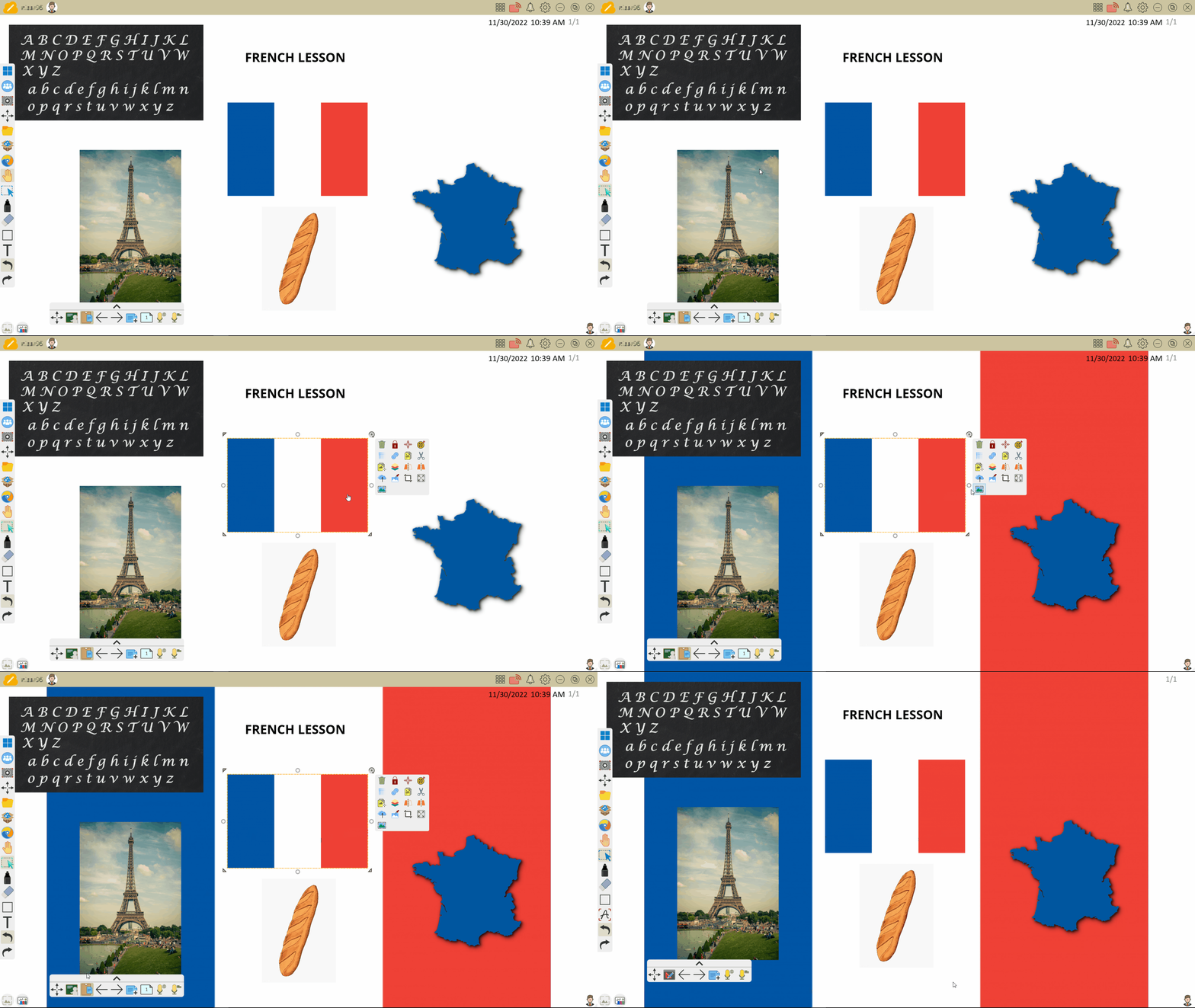 User sets an image as a canvas page's background with the set as background feature.